A WhatsApp chatbot for business in 2025 means one thing: a single channel where 98% of your customers already live, set up in an afternoon, answering the repetitive 80% of messages without a human, and priced per message in INR. This guide walks you end to end — Meta verification, BSP vs direct, the 12-step setup, template approval, the new July 2025 per-message pricing, AI replies grounded in your knowledge base, DPDP-aware opt-ins, common pitfalls, and real ROI numbers from Indian SMBs.
What you will learn
- Why WhatsApp is the SMB channel that matters in 2025
- BSP vs direct Cloud API: which path is right for you
- What you need before you start (15-minute checklist)
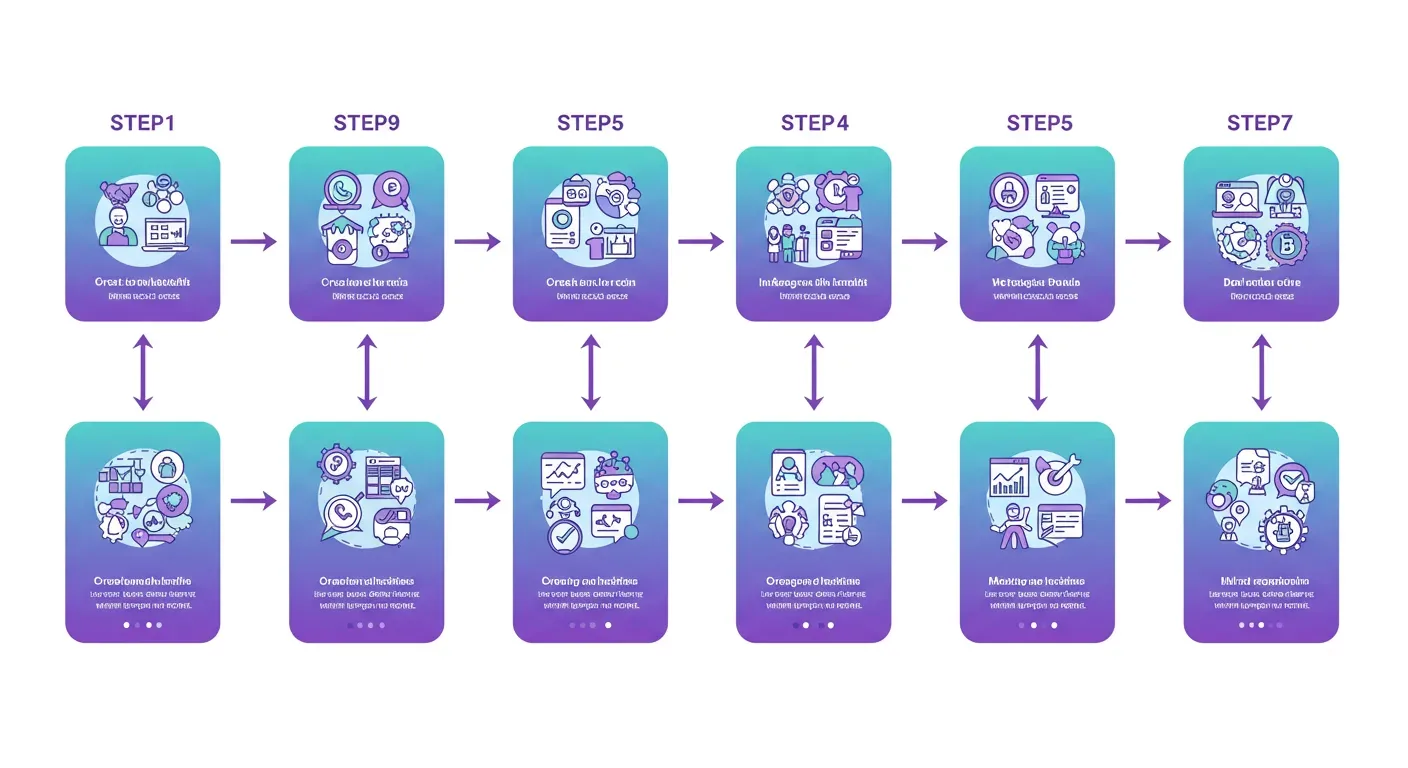
- The 12-step WhatsApp chatbot setup walkthrough
- Message templates: getting approved on the first try
- 2025 pricing in INR: per-message rates, free windows, real bills
- Adding AI: RAG, intent routing, human handoff
- Opt-in compliance under DPDP, GDPR, and WhatsApp policy
- 10 common pitfalls and how to avoid them
- ROI examples: clinic, e-commerce, real estate, edtech
- How AIChatBot handles all of this end to end
- Frequently asked questions
Why WhatsApp is the SMB channel that matters in 2026
India has more than 535 million WhatsApp users. Most of them check WhatsApp before they check email — often before they check Google. For an Indian SMB that means open rates north of 90%, response rates that beat email by 5-10x, and a customer experience your competitors are still trying to copy from email.
The 2025 shift is bigger than reach. Three things changed this year that make WhatsApp finally pencil out for businesses with 1-50 staff:
- Meta moved to per-message pricing on 1 July 2025, retiring the conversation-based model. You now pay per message sent, with rates depending on category and country.
- The service window stayed free. Any reply you send within 24 hours of the customer messaging you is free of charge.
- AI got cheap and accurate enough to handle multilingual, contextual replies — Hindi, English, Hinglish, Tamil, Marathi — without sounding robotic.
Layer in DPDP Act 2023 maturing this year and you have the conditions for WhatsApp to graduate from "marketing channel" to your front desk, customer-service desk, and booking line on the same number.
Where a WhatsApp chatbot for business pays back fastest
The verticals seeing the steepest month-1 ROI in India right now:
- Clinics and dental practices — appointment reminders, refill queries, after-hours triage. No-show drops of 20-35% are routine.
- D2C and e-commerce — order confirmations, shipping updates, abandoned-cart recovery, COD verification.
- Real estate — site-visit booking, document requests, channel-partner coordination.
- Education and coaching — admission enquiries, fee reminders, class schedules, parent updates.
- Service businesses — salons, spas, plumbers, electricians using the bot as the booking line.
If you are still routing all of this through phone calls and a packed inbox, your team is paying for the channel switch in time. AIChatBot's WhatsApp Business AI integration was built specifically to absorb that overhead so your front desk focuses on the 20% of conversations that need a human.
BSP vs direct Cloud API: which path is right for you
You have two ways to connect to the WhatsApp Business Platform. Both are official, both work, and the right choice is mostly about engineering capacity.
Direct Meta Cloud API
You sign up at developers.facebook.com, create a Meta app, generate an access token, and host your own webhook on a public HTTPS endpoint. The Cloud API itself is free to access from Meta — you only pay per message. Setup typically takes 2-6 weeks of engineering work because you build your own template UI, conversation storage, retry logic, media handling, and dashboards.
Direct is the right pick if you have full-time backend engineers, an existing message bus, and you want to avoid the small per-message markup that BSPs add.
Business Solution Provider (BSP) with embedded signup
A BSP is a Meta-approved partner that gives you a managed platform on top of the Cloud API — embedded signup (you click through inside the BSP's interface and never see the developer console), a template library, a shared inbox, analytics, and built-in compliance tooling. Setup typically takes 24-48 hours including Meta Business verification.
BSPs charge a SaaS fee plus a small markup of roughly 10-30% on top of Meta's per-message rate in India. For most SMBs the time saved pays that back inside the first month.
Quick decision matrix
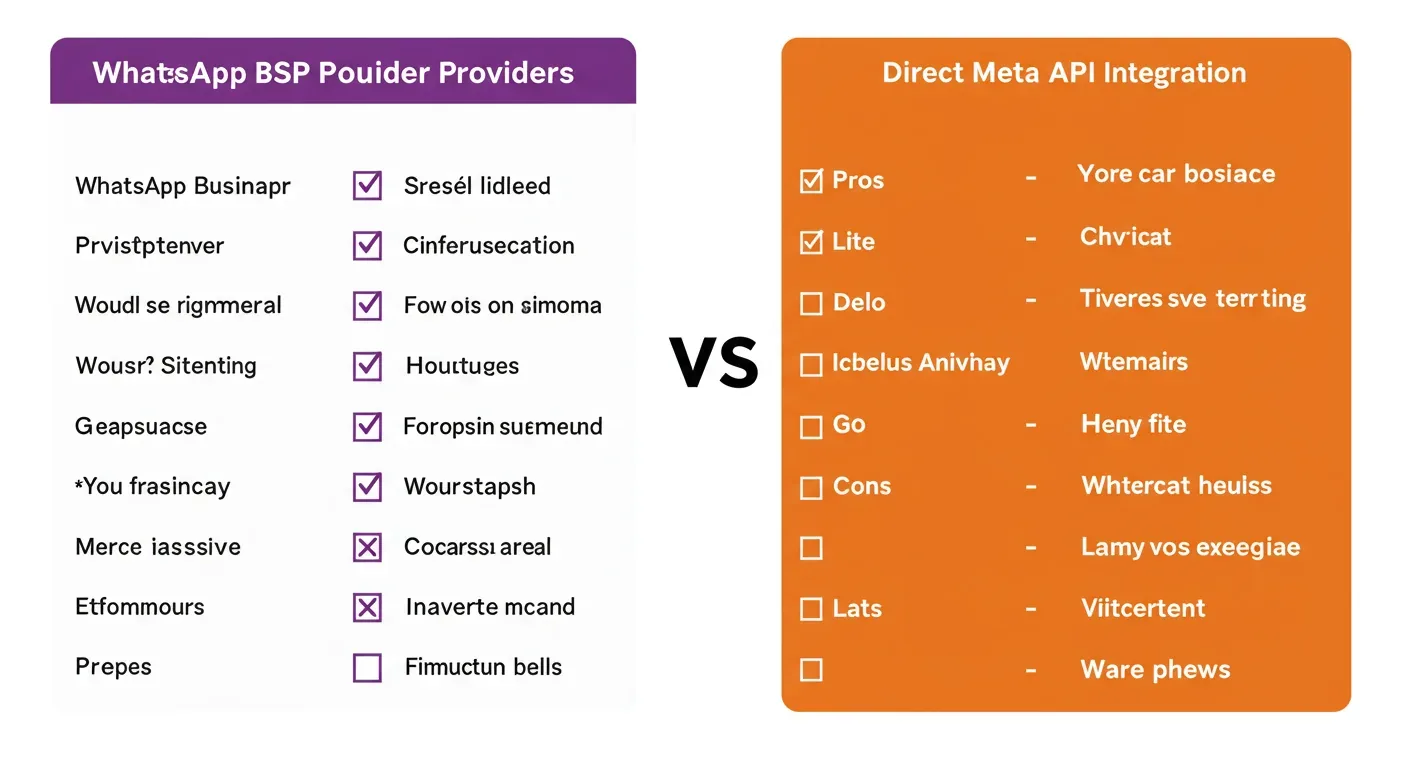
| Factor | Direct Cloud API | BSP (e.g. AIChatBot) |
|---|---|---|
| Time to live | 2-6 weeks | 24-48 hours |
| Engineering needed | Backend dev + DevOps | None |
| Template UI | Build your own | Included |
| Shared inbox | Build your own | Included |
| AI replies | Build your own | Included (RAG, intent, handoff) |
| Per-message markup | 0% | ~10-30% |
| Best for | Eng-heavy companies | SMBs and growth-stage teams |
AIChatBot is a BSP-integrated platform — meaning the Cloud API is wired in and the embedded signup, template approvals, AI replies, and inbox come together. You do not pick BSP "or" AIChatBot — picking AIChatBot is picking a BSP.
What you need before you start (15-minute checklist)
Most setup delays come from missing one of these. Tick them off before you open Meta Business Manager.
- A registered business — proprietorship, LLP, Pvt Ltd, or partnership. Sole-trader works if you have a GST number or Udyam registration.
- GST certificate or business registration document — used for Meta Business Verification.
- A phone number that has never been on personal WhatsApp. If your existing number is on the consumer app, you must delete that account first or pick a new number.
- The phone can receive SMS or voice OTP — needed during number verification.
- A business website with a privacy policy and contact page. Meta checks the URL during verification.
- An admin email on your business domain (you@yourbrand.in beats a generic Gmail).
- A clear display name — the trading name people already know. Random new brand names get rejected.
- 3 starter message templates drafted — welcome, order/booking confirmation, appointment reminder.
- Knowledge base content ready — a help-page URL, an FAQ document, or a product catalogue. AIChatBot's RAG knowledge base ingests any of these.
- An opt-in mechanism on your website — even a simple checkbox on your contact form is enough to start.
Have a colleague's WhatsApp number ready too. You will use it to test the live chatbot before you point real customers at it.
The 12-step WhatsApp chatbot setup walkthrough
This is the path most Indian SMBs take with a BSP-style platform like AIChatBot. If you are going direct, steps 1-7 are similar — steps 8-12 you build yourself.
Step 1 — Create your Meta Business account
Open business.facebook.com, sign in with your existing Facebook credentials, and click Create Account. Add the legal business name (matches GST), your name, and your business domain email. Add at least two admin users — never run a single-admin account, you will lose access if anything happens to that login.
Inside Business Settings, add your business name, GST address, time zone (Asia/Kolkata), website URL, and business category. This profile is what reviewers compare against your GST and registration documents.
Step 2 — Verify your business with Meta
From Business Settings open Security Center and start Business Verification. Upload your GST certificate, certificate of incorporation or partnership deed, and a recent utility bill at the registered address. Verification takes 2-7 working days for clean documents — most rejections are because the legal name on Meta does not match the GST exactly.
You can start setup before verification finishes, but you cannot send messages to more than 250 unique users per day until verified.
Step 3 — Pick BSP or direct Cloud API
Decide before step 4. With a BSP-integrated platform like AIChatBot, you click Connect WhatsApp inside the dashboard and the embedded signup launches a Meta-hosted popup. With direct, you continue in Meta for Developers and create a new app of type Business.
Step 4 — Create the WhatsApp Business Account (WABA)
A WABA is the parent container for one or more phone numbers. Inside Meta Business Manager open WhatsApp Accounts and click Add. Pick the country (India), the time zone, and a friendly internal name like Brand HQ. The WABA ID is what your chatbot platform stores to talk to your account.
Step 5 — Verify the phone number with OTP
Add the phone number that has never been on personal WhatsApp. Meta sends a 6-digit OTP via SMS or voice — pick voice if your number is on a virtual provider that does not handle SMS reliably. Once verified, the number is locked to the WhatsApp Business Platform and cannot be used on the consumer app.
If verification fails twice, wait 30 minutes before retrying. Three failures in an hour cause a 24-hour cool-down.
Step 6 — Set the display name
The display name appears at the top of every chat. Use the trading name your customers already know. Meta rejects display names that include generic words ("AI", "Bot", "Solutions") without a real brand prefix, names that exceed 25 characters, and names that mismatch your registered business.
Once approved, display name changes need a fresh review. Get it right the first time.
Step 7 — Generate the access token and webhook
For direct: in Meta Business Manager, open System Users, create one with admin access on your WABA, and generate a permanent token with the whatsapp_business_messaging and whatsapp_business_management permissions. Add a webhook URL on your server that responds to GET requests with the verification challenge token.
For AIChatBot: paste the WABA ID, phone number ID, and access token into the WhatsApp settings page. The platform validates the connection, registers the webhook on your behalf, and pulls existing templates inside 60 seconds.
Step 8 — Submit your first message templates
Templates are the messages you can send outside the 24-hour service window. Submit three to start:
- Welcome (Utility) — "Hi {{1}}, thanks for reaching out to {{2}}. We have received your enquiry and will reply inside 30 minutes during business hours."
- Order or booking confirmation (Utility) — "Hi {{1}}, your booking on {{2}} at {{3}} is confirmed. Reply STOP to opt out of reminders."
- Appointment reminder (Utility) — "Hi {{1}}, this is a reminder for your appointment with {{2}} tomorrow at {{3}}. Reply RESCHEDULE if you need to move it."
Always submit with sample variable values filled in. Most rejections are because the template was vague ("Hi {{1}}, please check {{2}}") or because a marketing offer was submitted under utility. Pick the category that matches the actual intent.
Step 9 — Connect AIChatBot to the WABA
Inside AIChatBot's dashboard go to Channels → WhatsApp. Click Connect, run the embedded signup, and approve the permissions. The platform pulls your WABA ID, phone number ID, and approved templates automatically. The connection check pings Meta and returns green inside 5 seconds.
Step 10 — Train the AI on your knowledge base
Open the Knowledge Base tab and add your sources — a website URL, a PDF, a Google Doc, or your help centre. AIChatBot's crawler ingests pages, splits them into chunks, embeds them, and stores them in the RAG knowledge base. A typical 50-page site indexes in 3-8 minutes.
Test the AI in the preview pane before connecting it to the live chat. Ask questions a customer would. If an answer is wrong, edit the source content — never patch with a hardcoded reply, the model will drift.
Step 11 — Capture opt-ins on your existing channels
WhatsApp policy requires explicit opt-in before you message someone. The DPDP Act 2023 requires the same. Add an unticked checkbox to your website contact form, checkout page, and order confirmation email with text like:
"I agree to receive order updates and offers from {Brand} on WhatsApp at this number."
Store the opt-in timestamp, IP, source URL, and exact text shown. AIChatBot logs all of this automatically when you wire the form to the platform's lead-capture endpoint.
Step 12 — Run a 10-message test, then go live
Before pointing real customers at WhatsApp, run a smoke test with a colleague's number. Walk through the top 5 user journeys — booking, product enquiry, refund, order status, complaint. Confirm:
- The welcome template fires within 5 seconds of first message
- The AI grounds answers in your knowledge base
- STOP and opt-out keywords trigger immediately
- Human handoff lands in your team channel
- Templates render variable values correctly
Once green, point your existing channels at WhatsApp — add the click-to-chat link to your website, business cards, invoices, Google Business Profile, and Instagram bio.
Message templates: getting approved on the first try
Template approval is where most teams lose their first weekend. The rules are not arbitrary — Meta is enforcing the difference between transactional messages (utility, authentication) and promotional messages (marketing) because mis-categorised templates fill inboxes with spam.
The three categories explained
- Marketing — promotions, offers, new product announcements, abandoned-cart recovery, win-back campaigns. Rs 0.78-0.88 per message in India after the January 2026 increase.
- Utility — transactional updates tied to a customer action. Order confirmations, shipping notifications, appointment reminders, payment receipts, account alerts. Rs 0.115 per message.
- Authentication — one-time passwords, login codes, 2FA. Rs 0.115 per message.
Service messages — replies inside the 24-hour customer service window — are not templates. They are free.
The 5 rules that make templates pass
- Match category to intent. If the template will end up in a campaign list, it is marketing — not utility. Mis-categorisation is the #1 rejection reason.
- Be specific in variables. "Hi {{1}}, your courier shipment {{2}} is out for delivery" passes. "Hi {{1}}, please check {{2}}" fails.
- Fill sample values at submission. {{1}} = Priya, {{2}} = ORD12345, {{3}} = 5 PM. Missing samples cause instant rejection.
- Avoid prohibited verticals — gambling, adult content, tobacco, regulated financial products without disclosure, multi-level marketing.
- Include opt-out language on marketing templates. "Reply STOP to opt out" or "Reply OPTOUT to stop receiving updates."
Approval timelines
Specific utility and authentication templates approve in minutes. Marketing templates with a real offer and explicit opt-in language usually pass within 24-48 hours. If a template is rejected, the API returns the rejection reason — fix it and resubmit. There is no penalty for resubmitting a corrected template.
Effective 16 April 2025, Meta also auto-reclassifies templates if it detects misuse — utility templates that read like marketing get switched to marketing pricing without warning. AIChatBot's template editor flags this risk before you submit so you do not accidentally end up paying marketing rates on what you thought was a transactional reminder.
2026 pricing in INR: per-message rates, free windows, real bills
July 2025 retired conversation-based pricing. From that date you pay per message, with rates set by category and country. Here is what an Indian SMB actually pays after the January 2026 rate revision.
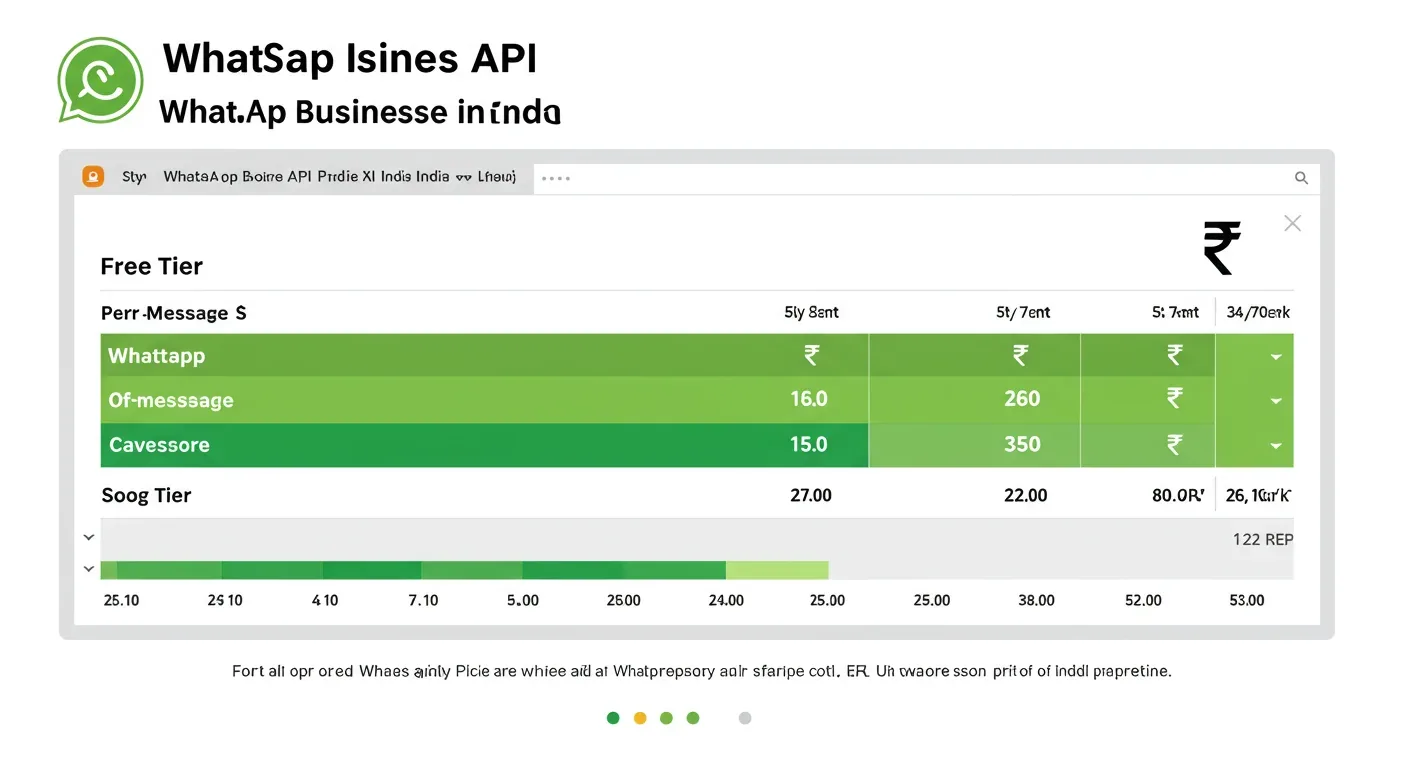
| Category | India rate (per message, INR) | When you use it |
|---|---|---|
| Marketing | ~Rs 0.86 | Promotions, offers, abandoned cart, new launch |
| Utility | ~Rs 0.115 | Order updates, reminders, receipts, status |
| Authentication | ~Rs 0.115 | OTP, 2FA, account verification |
| Service (within 24hr window) | Free | Any reply to a user-initiated message |
What an actual monthly bill looks like
A dental clinic with 4 chairs, 30 appointments a day, 1,500 confirmation and reminder messages, 3,000 service replies, and 200 marketing pushes per month:
- 1,500 utility (Rs 0.115) = Rs 172.50
- 3,000 service replies in window = Rs 0
- 200 marketing (Rs 0.86) = Rs 172.00
- Subtotal Meta charges = Rs 344.50
- AIChatBot Basic plan = Rs 1,999
- BSP markup (~15%) on Meta = Rs 51.68
- GST 18% = Rs 431.93
- Total = ~Rs 2,827
Per recovered no-show appointment (assuming a 25% no-show drop on 30 daily bookings) the WhatsApp channel costs the practice less than Rs 15 per saved appointment. The same arithmetic plays out for D2C e-commerce, real-estate site visits, and education enrollment funnels.
How to keep the bill flat as you grow
- Widen the inbound entry. Every click-to-chat ad, QR code on packaging, and "Chat on WhatsApp" button on your site opens a free service window. Ad-driven inbound messages also unlock a 72-hour free entry-point window.
- Send marketing only to opted-in segments. A blanket marketing blast at Rs 0.86 each is the fastest way to torch budget. Slice by intent — abandoned cart, repeat customer, VIP — and the per-rupee return is 5-10x higher.
- Use utility templates for transactional comms. Order confirmations, dispatch alerts, payment receipts cost Rs 0.115 — keep marketing out of these or Meta auto-reclassifies them.
- Hit volume tiers. Meta unlocks lower rates for high-volume utility and authentication senders. Your BSP usually surfaces the threshold inside the dashboard.
Adding AI: RAG, intent routing, human handoff
WhatsApp without AI is just a more expensive SMS. WhatsApp with AI is a 24/7 front desk in 50+ languages.
What the AI actually does
- Answers grounded in your content — RAG pulls the closest passages from your knowledge base, not the wider internet, so the AI cannot invent your prices, hours, or policies.
- Routes intent — booking, refund, complaint, product Q&A, escalation each trigger different downstream actions (calendar slot, ticket open, deal create, drip enrolment).
- Books appointments — surfaces real Google Calendar or Calendly slots inside chat, confirms in WhatsApp, fires utility-template reminders automatically.
- Hands off to humans — when the user names a person, threatens legal action, or asks something the model is not confident about, AIChatBot tags the conversation and pings your team via Slack, email, or the dashboard inbox.
Where AI should not decide
Be honest about limits. AI handles the repetitive 80%, but three categories of message must escalate to a human, every time:
- Medical advice — clinics use the bot to triage and book, never to diagnose.
- Regulated financial recommendations — investment advice, insurance suitability, tax planning.
- Named complaints or legal threats — the moment a customer names a staff member or mentions a regulator, route to a human.
This is not a marketing line. It is the edge of what the technology can responsibly do today.
Multilingual handling
Indian customers switch language inside a single message — Hindi script, English words, Hinglish, regional terms. AIChatBot's multilingual support covers 50+ languages including Hindi, Marathi, Tamil, Telugu, Bengali, Gujarati, Punjabi, Kannada, and Malayalam. The model auto-detects per message and replies in the same register.
Opt-in compliance under DPDP, GDPR, and WhatsApp policy
Three regimes apply to a WhatsApp chatbot for Indian businesses: WhatsApp's Business Policy, the Digital Personal Data Protection Act 2023 (DPDP), and — if you sell internationally — GDPR. The good news is that meeting WhatsApp's bar covers most of DPDP at the same time.
What "valid opt-in" means in practice
- Specific consent — the user agreed to receive WhatsApp messages, not just "marketing communications". Bundle wording fails DPDP.
- Unticked checkbox — pre-ticked checkboxes are invalid under DPDP and most GDPR interpretations.
- Plain language — "I agree to receive order updates and offers from {Brand} on WhatsApp at this number."
- Audit trail — store the timestamp, IP, source page URL, and exact text shown.
- Easy revocation — STOP keyword inside the chat, plus an unsubscribe link in your privacy notice.
What an audit-ready opt-in record looks like
{
  "phone": "+91 98XXXXXXXX",
  "opt_in_at": "2025-04-27 14:32:11 IST",
  "source_url": "https://yourbrand.in/contact",
  "ip_address": "103.45.XX.XX",
  "text_shown": "I agree to receive order updates and offers from YourBrand on WhatsApp at this number.",
  "channel": "website_form"
}
AIChatBot logs this automatically the moment a form on your site posts to the platform's lead-capture endpoint, and exposes a one-click DPDP audit export when a Data Principal request comes in.
What gets you banned
Meta and the Indian regulator both move fast on bad actors. The fastest ways to lose your WABA:
- Sending marketing to numbers that never opted in (purchased lists, scraped contacts)
- High block rate from recipients (above ~1.5% of sends)
- Marketing under a utility category
- Ignoring STOP requests
- Operating in a banned vertical without disclosure
10 common pitfalls and how to avoid them
The mistakes below show up in 8 out of 10 first-time setups. Skipping them is the cheapest performance gain you will get this quarter.
- Using a personal WhatsApp number. Pick a number that has never been on the consumer app. Switching back later is painful.
- Submitting templates without sample values. Instant rejection. Always fill {{1}}, {{2}}, {{3}} with realistic examples.
- Wrong category. Promotions submitted as utility get rejected or auto-reclassified to marketing rates.
- Vague variables. "Hi {{1}}, please check {{2}}" fails review every time.
- No opt-out language on marketing templates. Reply-STOP is mandatory in spirit. Some markets enforce it explicitly.
- Ignoring the 24-hour service window. Replies inside the window are free — push customers to message you first via QR codes, click-to-chat ads, and website buttons.
- Single-admin Meta account. Add at least two admins. If the only admin loses access, the whole WABA is locked.
- Display name that hints at "bot" or "AI". Use the trading name customers know. Random new brand names get rejected.
- No human handoff path. AI handles the 80%, but the 20% that lands on a human must reach someone in seconds, not the next morning.
- No analytics. If you cannot measure cost per booking and cost per recovered cart, you will not know whether the channel is paying back.
ROI examples: clinic, e-commerce, real estate, edtech
Real numbers from four AIChatBot WhatsApp deployments in India. Names changed, ranges preserved.
Multi-speciality dental clinic, Pune (4 chairs)
- Volume: 30 appointments/day, ~1,500 utility messages, 3,000 service replies/month
- Before: 28% no-show rate
- After: 19% no-show rate (32% relative drop) — recovered ~Rs 1.4 lakh/month at average ticket
- WhatsApp + platform spend: ~Rs 2,800/month
- Net month-1 lift: ~Rs 1.37 lakh
D2C beauty brand, Bengaluru
- Volume: 8,000 utility messages, 500 marketing, 12,000 service replies/month
- Before: 71% cart abandonment, no recovery channel
- After: 12% of abandoned carts recovered via WhatsApp template + AI Q&A
- WhatsApp + platform spend: ~Rs 4,500/month
- Recovered revenue: ~Rs 2.6 lakh/month
Real estate agency, Mumbai (12 channel partners)
- Volume: 600 utility messages, 1,200 service replies/month
- Use case: site-visit booking, document requests, follow-up reminders
- After: 4x increase in site-visit booking rate from web enquiries (10% to 41%)
- WhatsApp + platform spend: ~Rs 2,200/month
- Closed deal velocity up by ~21 days on average
Edtech coaching institute, Hyderabad
- Volume: 5,000 utility messages, 8,000 service replies/month
- Use case: admission enquiries, fee reminders, parent updates, class schedules
- After: 38% reduction in front-desk call volume, 3x faster response time on admission queries
- WhatsApp + platform spend: ~Rs 3,800/month
- Admission conversion up by ~14% on web-form enquiries
The pattern across all four: the WhatsApp + AI combination earns its cost back inside 30 days because it widens the funnel (capturing after-hours and missed-call enquiries) while shrinking operational load (fewer phone calls, fewer manual follow-ups).
How AIChatBot handles all of this end to end
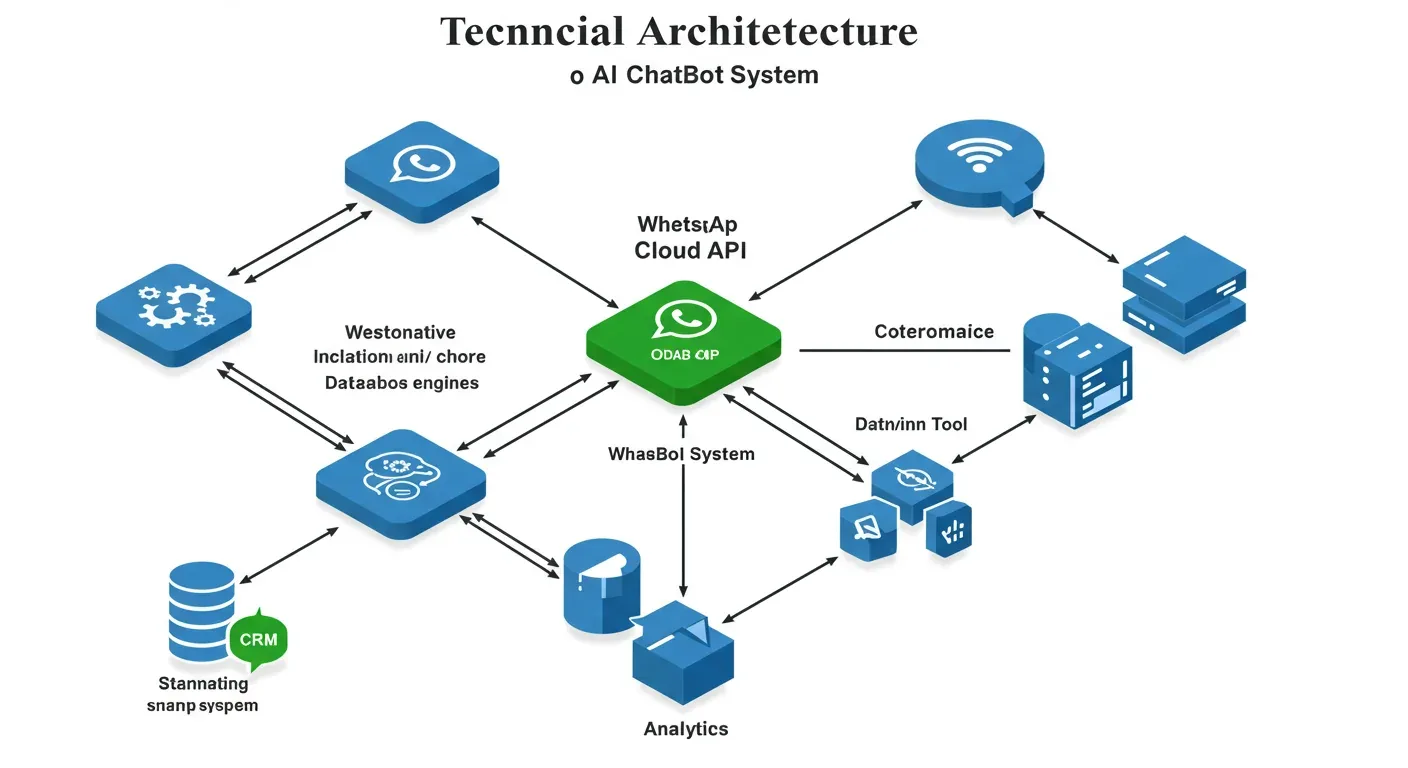
The platform was built around a 4-layer product so you adopt one piece at a time without ripping anything out:
- L1 Lead Capture — embedded signup, instant WhatsApp number provisioning, click-to-chat widget, QR codes for offline channels.
- L2 Lead Management — shared inbox, AI replies grounded in your RAG knowledge base, intent routing, human handoff to Slack/email/dashboard.
- L3 Growth Automation — drip campaigns, abandoned-cart recovery, appointment reminders, post-visit feedback, lead routing to your CRM.
- L4 AI Business OS — analytics, autonomous agents that watch your funnel and propose campaigns, multilingual support, voice AI receptionist (in beta) that pairs with WhatsApp.
What you get on day 1
- Embedded signup that connects your WABA in under 60 seconds
- Auto-pulled templates with category warnings before you submit
- RAG knowledge base that ingests your website, PDFs, and help centre
- AI chat tuned for Indian English, Hinglish, and 50+ languages
- Lead routing to email, Slack, WhatsApp, or your CRM
- Drip campaign automation triggered by chat behaviour
- DPDP-compliant opt-in logging and audit export
- Analytics with cost per booking, recovered cart, and per-template performance
What is on the roadmap, not yet shipped
- Voice AI receptionist that pairs with WhatsApp for missed-call recovery (in beta)
- Native Razorpay collect-link inside chat (planned Q3 2025)
- WhatsApp Pay direct integration (waiting on Meta partner program)
If a feature is not in the platform, the article will say so. Honesty wins on long-tail searches.
Get a personalised demo built for your business
The fastest way to see whether a WhatsApp chatbot for your business is worth the spend is to see one running on a copy of your site, with your branding, answering questions from your real FAQ. Get My Free Demo — AIChatBot's DemoBuilderService spins up a personalised demo website in under 2 minutes so you can test the AI on your real content before you commit to anything.
Related guides on AIChatBot
- All AIChatBot features for SMBs
- AIChatBot pricing in INR (Starter, Standard, Professional)
- AI chatbot for doctors and clinics — appointment booking + reminders
- AI chatbot for e-commerce — abandoned cart + product Q&A
- AI chatbot for real estate — site-visit booking + lead routing
- Browse the AIChatBot blog
Frequently asked questions
Do I really need a Business Solution Provider, or can I use the WhatsApp Cloud API directly?
You can do either. Direct Cloud API is free to access from Meta and gives you raw control, but it takes 2-6 weeks of engineering work, a public HTTPS webhook, your own template UI, and ongoing maintenance. A BSP gives you embedded signup, a managed template library, a shared inbox, and analytics in 24-48 hours. AIChatBot ships with a built-in BSP integration so most Indian SMBs go live in an afternoon. Pick direct only if you have full-time engineers and want to avoid the small per-message markup BSPs add.
How much does a WhatsApp chatbot cost in INR in 2026?
There are three layers. First, Meta charges per message: roughly Rs 0.78-0.88 per marketing message in India, Rs 0.115 per utility or authentication message, and free for service replies inside the 24-hour customer service window. Second, your BSP or chatbot platform adds a SaaS fee — AIChatBot starts around Rs 499/month, with WhatsApp included from the Standard plan. Third, GST at 18% is added on top. A clinic sending 1,500 reminders and 3,000 service replies per month typically lands around Rs 2,500-3,500 all-in.
What is the 24-hour customer service window, and why does it change my pricing?
When a customer sends you any message on WhatsApp, a 24-hour window opens. Inside that window every reply is free — no template needed, no charge. Outside that window you must use an approved template, and you pay per message based on category. The strategy that drops cost the fastest is widening the entry — every WhatsApp click-to-chat ad, QR code, and website button opens a free window, so route as many first messages as possible inbound rather than outbound.
Which message templates get approved fastest, and which get rejected?
Specific utility and authentication templates approve in minutes. Marketing templates with a real offer, clear sender name, and explicit opt-in language usually pass within 24-48 hours. Rejection happens when the category is wrong (a promotion submitted as utility is the #1 cause), variables are vague (Hi {{1}}, please check {{2}}), sample values are missing, or the content overlaps a banned vertical like gambling, alcohol, or unregistered financial products. Always submit with sample variable values filled in and pick the category that matches the actual intent.
How does AI fit into a WhatsApp chatbot, and where should it not be used?
AI handles the repetitive 80% of customer messages — store hours, product Q&A, order tracking, appointment booking, refund status. It uses RAG against your knowledge base so answers are grounded in your real content, not invented. AI should escalate, not decide, on three things: medical advice, regulated financial recommendations, and any complaint that has named a person or threatened legal action. AIChatBot tags those messages and routes them to a human in your team via Slack, email, or the dashboard inbox within seconds.
What does DPDP-compliant WhatsApp opt-in actually look like?
Under India's DPDP Act 2023, you need clear, specific consent before sending business messages on WhatsApp. In practice that means an unticked checkbox on your form with text like "I agree to receive order updates and offers from {Brand} on WhatsApp at this number" — separate from your privacy policy acceptance. Store the consent timestamp, IP, source page, and the exact text shown. Honour STOP and opt-out keywords inside 24 hours. AIChatBot logs all of this automatically and exposes it in an audit export so a Data Principal request takes minutes, not days.
Can a WhatsApp chatbot really book appointments and trigger reminders?
Yes — and this is where most Indian clinics, salons, and service businesses see the fastest ROI. AIChatBot's appointment booking module syncs to Google Calendar or Calendly, offers slots inside chat, confirms in WhatsApp, and fires utility-template reminders 24 hours and 2 hours before the appointment. No-show rates typically drop 20-35%, and because reminders are utility messages priced around Rs 0.115 each, the cost per recovered booking is roughly Rs 5-15 — usually a fraction of the booking value.
What is the realistic ROI in the first 30 days?
For an Indian SMB sending 3,000-5,000 messages a month across utility and service categories, month-1 outcomes typically land in three places. First, after-hours capture goes from zero to 20-40% of nightly enquiries answered. Second, no-show rates drop 20-35% on appointment-driven businesses. Third, abandoned-cart recovery on e-commerce hits 8-15% of carts. Combined revenue lift usually clears Rs 25,000-1,00,000 in month 1 against Rs 2,500-5,000 of WhatsApp + platform spend. Track it inside AIChatBot's analytics so the ROI is visible, not assumed.
Ready to put your front desk on WhatsApp?
A WhatsApp chatbot for business is the highest-leverage channel an Indian SMB can switch on this year. Setup is an afternoon. Pricing is in paise per message. Compliance maps cleanly to DPDP and Meta policy. AI handles the repetitive 80% so your team focuses on the 20% that needs a human.
Get My Free Demo — see your own brand, your own FAQ, your own real customer questions answered inside a personalised AIChatBot demo, built in under 2 minutes.