AI चैटबॉट को Knowledge Base पर कैसे ट्रेन करें: 2026 की पूरी गाइड
AIChatBot Team
2026-04-27
AI चैटबॉट को knowledge base पर train करने की पूरी हिंदी गाइड — RAG, chunking, embeddings, hallucination control और 9-step playbook भारतीय SMBs के लिए।
Apne AI chatbot ko knowledge base par train karna sabse high-leverage step hai jo aap kar sakte hain — yeh hallucinations kam karta hai, answer accuracy badhata hai, aur ek generic bot ko aapke business ka actual representative bana deta hai. Sahi tarah se kiya jaye, to aapko ek aisa assistant milta hai jo aapki refund policy verbatim quote kare, real availability se appointments book kare, aur aisi pricing invent na kare jo usne kabhi dekhi hi nahi.
Yeh ek pillar guide hai service businesses, D2C brands, edtech tutors aur B2B SaaS teams ke liye jo ek hafte mein working AI assistant ship karna chahte hain — research project nahi. Hum cover karenge: knowledge base kya hota hai, source content kaise structure karein, crawling vs upload kab use karein, chunking strategy, embeddings, retrieval quality, hallucination control, evaluation aur ongoing curation. Har section 2026 ki current RAG practice par based hai aur unhi patterns par jo AIChatBot ke andar production mein chal rahe hain.
इस लेख से क्या मिलेगा
- Chatbot training ke liye knowledge base mein kya count hota hai
- SMBs ke liye fine-tuning se RAG kyun better hai
- Training se pehle source content kaise structure karein?
- Crawl vs upload: aapke business ke liye kaunsa fit hai
- Chunking strategy jo meaning preserve karti hai
- Embeddings — bina maths ke samjho
- Retrieval quality: woh hissa jo log skip karke pachhtaate hain
- Hallucination control: grounding, citations, refusals
- Step-by-step: 9 phases mein chatbot ko train karein
- Evaluation: kaise pata chalega ki bot ship karne layak hai?
- Ongoing curation: knowledge base ko zinda rakhna
- AIChatBot end-to-end training kaise handle karta hai
- Pehle mahine ka realistic ROI kya hai?
- अक्सर पूछे जाने वाले प्रश्न
Chatbot training ke liye knowledge base mein kya count hota hai
Chatbot ke context mein knowledge base ka matlab hai koi bhi structured ya semi-structured content jise AI consult kar sakta hai jawab dene se pehle. Yeh ek single CMS ya wiki nahi hai — yeh trusted sources ka pool hai jisme retrieval layer citations ke saath dhundh sakta hai.
Ek typical Indian SMB ke liye knowledge base saat content types ko cover karta hai: website pages, help-centre articles, PDFs (brochures, price lists, terms), FAQ sheets, product ya service catalogues, internal SOPs, aur conversation transcripts jo dikhate hain ki aapki team customers ko actually kaise jawab deti hai.
Sabse badi galti jo log karte hain woh hai knowledge base ko ek dump folder samajhna. Achha base curated hota hai — har document ka clear scope hota hai, freshness date hoti hai, aur ek owner hota hai jo updates karta hai. Jab yeh discipline tooti hai, retrieval quality bhi tooti hai. Garbage in, hallucinations out.
AIChatBot ki RAG knowledge base ke andar, har ingested document ko source URL, content hash, last-crawled timestamp aur tenant-scoped tag set ke saath tag kiya jaata hai. Yahi metadata baad mein bad answers debug karne ka rasta banta hai — iske bina aap blind hain.
SMBs ke liye fine-tuning se RAG kyun better hai
Aap do phrases sunte rahenge: fine-tuning aur RAG. Fine-tuning ka matlab hai model ke weights ko apne data par retrain karna. RAG (retrieval-augmented generation) ka matlab hai base model ko untouched chhodna aur query time par usse aapke relevant documents feed karna.
Ek 1-50 staff wale Indian business ke liye, RAG har dimension par jeet jaata hai jo matter karti hai. Retraining fees ₹0 lagti hain kyunki retraining hi nahi hoti. New document save karte hi update ho jaata hai — koi rebuild cycle nahi. Underlying LLM ko aap swap kar sakte hain bina apni knowledge khoye.
Fine-tuning narrow cases mein sense banata hai: jab aapko millions of calls par consistent output formatting chahiye, ya aapko domain vocabulary teach karna ho jo base model ne kabhi dekha hi nahi. 95% Indian SMB chatbots ke liye yeh conditions apply nahi hoti.
2025 ke evaluation benchmarks (Anthropic, OpenAI, Mistral) consistent dikhate hain ki ek well-built RAG pipeline ek mid-tier model par fine-tuned smaller model se factual accuracy aur recency par aage hai. Pehle RAG build karein, fine-tuning baad mein agar genuinely zaroorat ho.
Training se pehle source content kaise structure karein?
Chatbot quality ka sabse bada determinant model nahi hai — yeh aapka source content kitna saaf hai pipeline mein enter karne se pehle. Ek din yahan invest karein aur weeks ki debugging bach jaayegi.
Teen structural rules se shuru karein. Ek topic per page. Ek question per heading. Ek answer per paragraph. Agar ek hi help article refunds, shipping aur warranty cover karta hai, retriever usse teenon queries ke liye surface karega aur har answer ko dilute karega.
Headings ko questions mein rewrite karein
Har heading ko us question mein convert karein jo customer actually poochega. "Shipping policy" ban jaaye "Order delivery mein kitna time lagta hai?". "Refunds" ban jaaye "Kya 30 din baad refund mil sakta hai?". Yeh isliye matter karta hai kyunki user queries questions hote hain, aur embedding similarity score sharply badhta hai jab source headings query phrasing ko echo karte hain.
Lambe documents ko split karein
Ek 6,000-word terms-and-conditions PDF ko 12 separate documents mein convert karna chahiye — ek per clause. Lambe monolithic files retriever ko force karte hain ki ya to puri file grab kare (token waste) ya galat section grab kare (accuracy loss). Pehle hi split kar dein.
Ingestion par metadata add karein
Har document ko minimum yeh chahiye: title, last-updated date, source URL ya filename, audience (customer / staff / both), aur category. AIChatBot ki KnowledgeBaseService yeh sab store karti hai aur retrieval ko filter karne mein use karti hai — for example, customer-facing widget kabhi internal SOPs nahi dekhta.
Crawl vs upload: aapke business ke liye kaunsa fit hai
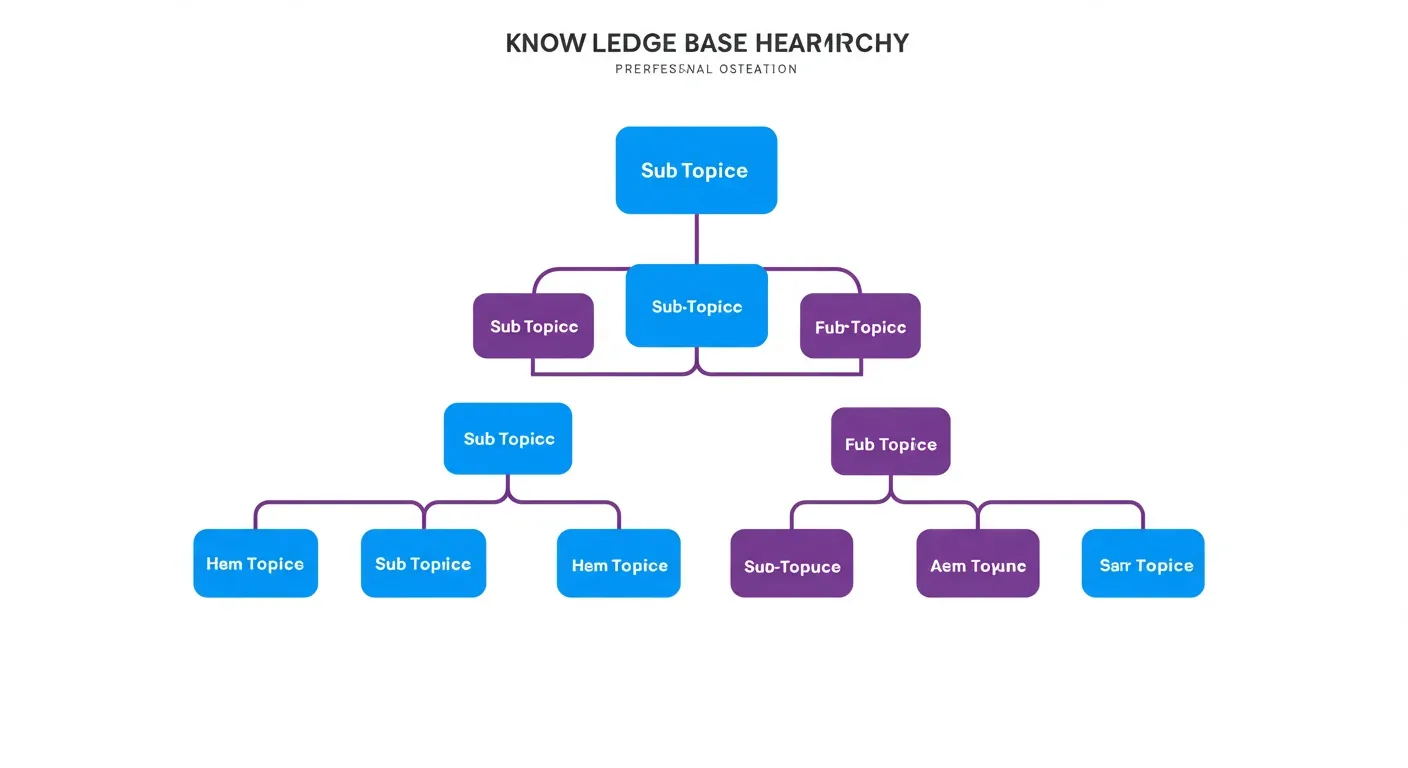
Knowledge base mein content laane ke teen tareeke hain. Crawling, uploading aur API sync. Har ek ka apna use case hai.
Crawling ka matlab hai chatbot ko ek URL par point karna aur usse aapke sitemap ki har page fetch karne dena. Yeh sabse fast hai agar aapki website mein already information hai — zero se working bot 10 minute mein. Downside yeh hai ki website prose aksar marketing-flavoured hota hai, Q&A-flavoured nahi, isliye retrieval quality us content se peeche reh jaati hai jo specifically Q&A ke liye likhi gayi ho.
Uploading ka matlab hai curated PDFs, DOCX, TXT, ya markdown files KB mein push karna. Yeh aapko exact control deta hai ki bot kya dekhta hai, jo important hai jab aapke paas policy documents, price lists, ya onboarding decks hain jo public web par nahi hain. Mumbai, Delhi aur Bangalore ki jin clinics, lawyers, aur CAs ko hum onboard karte hain unme se zyaadatar upload-first jaate hain kyunki unka content Drive mein rehta hai, sitemap par nahi.
API sync ka matlab hai KB ko ek live source jaise Notion, Google Docs, Confluence, ya help-desk platform se connect karna taaki updates automatically flow ho. Yeh sahi answer hai jab aapke paas content team ho aur update frequency mahinon ke baddale dino mein measured ho.
Service business ke liye pragmatic mix hai: breadth ke liye apni website crawl karein, accuracy ke liye 3-5 PDF policies upload karein, phir help centre par API sync add karein jab aap manual updates se outgrow ho jaayein. AIChatBot teenon ko Basic plan (₹1,999 – ₹2,999/month) par support karta hai bina per-document fees ke.
Chunking strategy jo meaning preserve karti hai
Content ingest hone ke baad, system usse chunks mein split karta hai — chhote text fragments jo embed aur stored hote hain. Chunk size aur chunk strategy decide karte hain ki retrieval right paragraph dhundhta hai ya ek meaningless fragment.
Token-window tradeoff
Bahut chhote chunks (100 tokens se kam) surrounding context kho dete hain — retriever ek sentence laata hai bina kisi setup ke. Bahut bade chunks (800 tokens se zyada) embedding signal dilute karte hain aur answer time par prompt tokens waste karte hain. Most prose ke liye sweet spot hai 256 se 512 tokens per chunk with 50-token overlap consecutive chunks ke beech.
Semantic chunking fixed-size se behtar hai
Naive approach hai har 512 tokens par split karna meaning ki parwah kiye bina. Semantic chunking natural boundaries par split karta hai — paragraph breaks, heading changes, ya sentence-embedding similarity drops. Yeh ingestion par thoda zyada cost karta hai par answer quality materially improve karta hai kyunki har chunk ek coherent idea represent karta hai.
Structure preserve karein
Tables, lists aur code blocks ke liye, puri structure ek hi chunk mein rakhein. Chunked table useless hoti hai. AIChatBot ka chunker markdown tables aur HTML lists detect karta hai aur unhe atomic units ki tarah treat karta hai chahe woh standard chunk size se zyada hi kyun na ho.
Header prefix add karein
Document title aur section heading ko har chunk ke aage prepend karna retrieval precision ko 15-25% badhata hai humare internal tests mein. Chunk "Refunds 7 business days mein process hote hain" ban jaata hai "Help Centre > Refunds > Timing: Refunds 7 business days mein process hote hain." Retriever ab topic aur specific question dono match karta hai.
Embeddings — bina maths ke samjho
Embeddings human queries aur stored documents ke beech ka pul hain. Har chunk ek vector mein convert hota hai — 384 se 3,072 numbers ki list jo us chunk ke meaning ko ek high-dimensional space mein represent karti hai. Queries bhi same treatment paati hain, aur retrieval matlab nearest vectors dhundhna.
Aapko linear algebra samajhne ki zaroorat nahi. Aapko choices samajhne ki zaroorat hai.
Kaunsa embedding model?
Sirf English content ke liye 1 million chunks se neeche, OpenAI ka text-embedding-3-small cost-quality leader hai $0.02 per million tokens par. Multilingual content (Hindi, Tamil, Marathi, Bengali, Gujarati) ke liye Cohere ka embed-multilingual-v3 aage nikal jaata hai — yeh Indian languages par specifically robust hai. Privacy-sensitive industries (healthcare, legal, finance) ke liye, ek open-source model jaise BAAI/bge-large-en locally chala sakte hain — DPDP Act 2023 compliance ke liye yeh especially relevant hai jab data residency India mein chahiye.
Vector store: kya dedicated database chahiye?
Pinecone, Weaviate, Qdrant aur Milvus excellent hain at scale. 100,000 chunks se neeche, ek Postgres table with pgvector ya ek flat MySQL table with cosine-similarity computation in PHP fine kaam karta hai. AIChatBot PHP-native cosine similarity ship karta hai MySQL ke saath — koi separate vector DB deploy nahi karna padta, koi extra ₹4,000-8,000/month bill nahi, aur retrieval typical SMB knowledge bases ke liye 80ms ke neeche rehta hai.
Model switch karne par re-embedding
Embeddings model-specific hote hain. Agar aap ek embedding model se doosre par switch karte hain, har existing chunk ko re-embed karna padta hai. Model deliberately chunein kyunki baad mein change karna ek full reprocessing pass hai. AIChatBot iss ko ek versioned EmbeddingService ke peeche abstract karta hai, isliye model swap ek config change hai, rewrite nahi.

Retrieval quality: woh hissa jo log skip karke pachhtaate hain
Most teams LLM par obsess karti hain aur retriever ignore karti hain. Yeh backwards hai. Agar retrieval galat chunks surface karta hai, duniya ka koi model sahi answer nahi de paayega. Retrieval wahi jagah hai jahan rank jeeti jaati hai.
Top-k tuning
Top-k woh number of chunks hai jo answer prompt mein pull hote hain. Bahut kam (k=2) context miss karta hai. Bahut zyada (k=20) noise introduce karta hai aur model ko hedge karne par majboor karta hai. Most production systems k=4 se k=8 par sit karte hain. Real queries ko ek labelled test set par run karke aur mean reciprocal rank measure karke tune karein.
Hybrid retrieval (vector + keyword)
Pure vector search paraphrasing handle karta hai par exact-match keywords miss karta hai jaise product SKUs ya proper nouns. Pure keyword search synonyms miss karta hai. Hybrid retrieval dono parallel mein chalata hai aur scores combine karta hai. D2C ecommerce knowledge bases ke liye thousands of SKUs ke saath, hybrid retrieval hit rate 12-20% badhata hai vector-only se.
Reranking
Jab retriever apne top-20 candidates return karta hai, ek smaller cross-encoder model unhe rerank kar sakta hai by directly comparing each candidate to the query. Cohere ka rerank-3 model current quality leader hai. Reranking 200-400ms ki latency add karti hai par top-1 accuracy ko 8-15% badhati hai noisy datasets par.
Embed se pehle filter karein
Agar user returns ke baare mein poochta hai, kabhi appointments KB search mat karein. Hard filters on category, audience, language ya freshness candidate pool ko similarity scoring se pehle shrink karte hain. AIChatBot page-section tags use karta hai (widget par data-page-section attribute set karke) retrieval ko per-page automatically scope karne ke liye — pricing page par chatbot sirf pricing chunks dekhta hai jab tak user explicitly kuch aur na pooche.
Hallucination control: grounding, citations, refusals
Hallucinations tab hote hain jab model facts invent karta hai jo aapke knowledge base mein nahi hain. Cure hai grounding instructions, citation requirements aur explicit refusal behaviour ka combination.
System prompt mein grounding instructions
System prompt ko explicitly model ko bolna chahiye: "Sirf provided context se answer dein. Agar context mein answer nahi hai, bolein ki aapko nahi pata aur user ko human se connect karne ka offer dein." Yeh ek instruction hallucination rate ko ek order of magnitude se kam karti hai versus ek system prompt jo simply bolta hai "You are a helpful assistant."
Citations as a forcing function
Model se require karein ki har factual claim ke liye source URL ya document title cite kare. Jab model source nahi dhundh paata, woh ignorance admit karne lagta hai instead of inventing one. AIChatBot har widget reply mein citations return karta hai — user dekhta hai "Source: Refund policy (12 March 2026 ko updated)" answer ke neeche.
Refusal behaviour
Define karein ki chatbot ko kya karna chahiye jab usse nahi pata. Acceptable refusals: "Mere paas yeh information nahi hai — main aapko humari team se connect kar deta hoon" with automatic handoff to email, WhatsApp ya human agent. Unacceptable refusals: silence, generic deflection, ya worst, an invented answer. AIChatBot ki HandoffService control le leti hai jis moment model low-confidence flag return karta hai.
Confidence thresholds
Retriever har chunk ke liye similarity score return karta hai. Agar top score threshold ke neeche hai (hum default 0.65 cosine rakhte hain), system query ko out-of-scope treat karta hai aur refusal trigger karta hai. Iss threshold ko apne test set ke against tune karein — bahut kam junk andar aane deta hai, bahut zyada unnecessary handoffs trigger karta hai.
Step-by-step: 9 phases mein chatbot ko train karein
Yeh raha practical playbook. Har successful deployment jo humne ship kiya hai roughly inhi steps follow karta hai. Pune ki ek dental clinic, Surat ki ek D2C jewellery brand, ya Bangalore ke ek edtech tutor — sab par yeh framework apply hota hai.
- Apna content inventory banayein (Day 1, 2 ghante). Har URL, PDF, FAQ doc aur policy file list karein. Har ek ko topic, audience aur last-updated ke saath tag karein. Yeh aapka master inventory ban jaata hai.
- Top 80% sources curate karein (Day 1, 4 ghante). Woh documents chunein jo 80% customer questions answer karte hain. Headings ko questions mein rewrite karein. 2,000 words se kuch bhi lamba split karein. Duplicates aur stale content remove karein.
- Ingestion paths chunein (Day 2, 1 ghanta). Website crawl karein. Curated PDFs upload karein. API sync plan karein (defer karein agar urgent nahi). AIChatBot ka setup wizard yeh teen click mein karta hai.
- Chunking aur embeddings configure karein (Day 2, 30 minute). Defaults par stick karein jab tak specific reason na ho. 512-token chunks, 50-token overlap, English ke liye OpenAI text-embedding-3-small, Hindi/multilingual ke liye Cohere. AIChatBot per-tenant pre-configure karta hai.
- 30-question evaluation set banayein (Day 3, 3 ghante). 30 real customer questions likhein expected answers ke saath. Yeh aapka regression suite ban jaata hai. Yeh skip kiya to blind ship karenge.
- Eval run karein, retrieval gaps fix karein (Day 3, 4 ghante). Har wrong answer ke liye, identify karein ki retrieval failure thi (galat chunks) ya generation failure (sahi chunks, galat synthesis). Pehle retrieval fix karein — usually missing ya badly chunked source content hota hai.
- System prompt tune karein (Day 4, 2 ghante). Grounding instructions, voice aur tone rules, refusal behaviour, citation format aur handoff triggers add karein. AIChatBot ki AgentTrainingService aapko live preview deti hai jaise aap edit karte hain.
- Staging widget par deploy karein (Day 4, 1 ghanta). Widget ko ek staging ya password-protected page par embed karein. Eval set ek baar aur run karein. Do non-technical staff se ek ghante use karwayein.
- Production par monitoring ke saath ship karein (Day 5, 2 ghante). Live site par embed karein. Conversation logging, low-confidence alerts aur weekly knowledge-gap reports on karein. Pehli 100 conversations 48 ghante mein review karein aur koi gaps patch karein.
Total elapsed time: 5 working days. Total hands-on time: roughly 20 ghante. AIChatBot Basic par cost: pehle mahine ke liye ₹1,999 – ₹2,999, koi per-message ya per-document fees nahi.
Evaluation: kaise pata chalega ki bot ship karne layak hai?
Aap tab ship karte hain jab bot ek measurable bar ko measurable test set par meet kare. "Demo mein achha lag raha hai" koi bar nahi hai.
Pehle eval set banayein
Apni inbox, WhatsApp, ya call logs se 30 real questions lein. Har ek ka ideal answer likhein. Yeh aapka regression suite hai. Monthly update karein jaise naye question types aate hain.
Teen axes par score karein
Har question ke liye response ko score karein: correctness (kya factual content sahi hai?), completeness (kya pura question answer karta hai?), aur tone (kya aapke business jaisa lagta hai?). 1-5 scale use karein. Ship bar hai correctness ≥4.5, completeness ≥4.0, tone ≥4.0 sabhi 30 questions par.
Answer source track karein
Har wrong answer ke liye, log karein ki failure retrieval thi (sahi chunk top-k mein nahi tha) ya generation (sahi chunk retrieve hua par model fir bhi galat samajh gaya). 70% failures retrieval hoti hain. Pehle wahi fix karein.
Scale ke liye LLM-as-judge use karein
Jab eval set 100 questions se aage badhe, manual scoring scale nahi karta. Ek frontier model (Claude 3.5 Sonnet, GPT-4o) ko judge ke roop mein use karein — usse question, expected answer aur actual answer dein, aur teen axes par score karwayein. Yeh ab standard practice hai aur human raters ke saath agreement humare experiments mein 0.85 ke aas-paas hai.
Ongoing curation: knowledge base ko zinda rakhna
Knowledge base jaldi staale ho jaata hai. Pricing change hoti hai. Policies update hoti hain. Naye products launch hote hain. Bina curation rhythm ke chatbot weeks ke andar reality se drift ho jaata hai.
Weekly knowledge-gap report
Har week, chatbot ke low-confidence answers aur refusals dekhein. Yeh exactly woh questions hain jo aapki KB cover nahi karti. Missing content add karein. AIChatBot ki KnowledgeBaseService yeh report automatically banati hai aur tenant owner ko har Monday email karti hai.
Monthly content audit
Mahine mein ek baar, har top-10 source document walk karein aur freshness check karein. 6 mahine se kuch bhi purana re-read paane ka deserve karta hai. Update karein ya archive karein. Dashboard ka content audit view last-updated date se sort karta hai isliye aap staleest se shuru karte hain.
Quarterly eval refresh
Har quarter mein 10 naye questions eval set mein add karein, real conversation logs se draw karke. Obsolete questions drop karein. Eval set ek living artefact hai, one-time deliverable nahi.
Conversation log review
Launch ke baad pehle 3 mahine 50 conversations per week padhein. Uske baad 20 per week. Yeh sabse valuable kaam hai jo business owner kar sakta hai — yeh tone issues, missed handoff opportunities aur content gaps surface karta hai jo koi automated system nahi pakad sakta.
AIChatBot end-to-end training kaise handle karta hai
Upar sab kuch general playbook hai. Yeh raha specifically AIChatBot ke andar yeh kaisa dikhta hai.
RAG knowledge base — drag-drop PDFs, paste URLs, ya Google Drive connect karein. Ingestion background mein chalti hai aur jab documents searchable ho jaate hain to aapko notification milti hai. Widget us hi ghante se aapki KB se answers dena shuru kar deta hai.
Appointment booking with calendar sync + reminders — bot aapki services ke baare mein answers de paaya, agla step hai conversion. Calendar sync (Google, Outlook, Calendly) plus automatic SMS aur email reminders no-shows ko 20-35% kam karte hain. Indian clinics aur salons ke liye yeh single biggest revenue lift hai humne dekha hai.
WhatsApp Business AI integration — same KB jo widget ko power karti hai, woh aapki WhatsApp Business line ko bhi power karti hai. Customer 'pricing' WhatsApp par poochta hai aur same RAG answer milta hai jo website widget par milta. Indian D2C brands ke liye yeh game-changer hai jahan 70%+ traffic WhatsApp se aata hai.
Lead routing to email / Slack / CRM — bot jab koi qualified lead capture karta hai (intent + contact info), AIChatBot rules-based routing karta hai aapki pasandida destination par. Sales WhatsApp group, Slack channel, ya Pipedrive/Zoho/HubSpot CRM — sab supported.
Drip campaign automation — KB par train hua bot sirf reactive nahi hai. Bot interactions ke baad triggered drip sequences (3-mail nurture, abandoned-conversation recovery, post-appointment follow-up) automatically run hote hain. AIChatBot ki DripWorkerService 24/7 in queues ko process karti hai.
Multilingual support (50+ languages) — same KB Hindi, Tamil, Telugu, Marathi, Bengali, Gujarati, Kannada, Punjabi, English aur 40+ aur languages mein answer kar sakti hai bina alag training cycles ke. Cohere multilingual embeddings yeh seamless banate hain.
Voice AI receptionist (beta) — same RAG knowledge base jo text widget ko answer karwati hai, woh voice calls ko bhi power karti hai. Solo dentists aur small clinics jin par staff nahi hai after hours, voice AI receptionist 24/7 calls answer karti hai aur urgent ones ko humans tak escalate karti hai.
Personalised demo websites — naya prospect aapki site par aata hai, AIChatBot uski URL ek-click se crawl karta hai, ek personalised demo widget banata hai jo unka actual content RAG ke through use karta hai, aur unhe live dikhata hai. Yeh "Get My Free Demo" CTA ka heart hai — koi free trial nahi, kuch real par hands-on demo unhi ke content par.
Pehle mahine ka realistic ROI kya hai?
Honest numbers ek typical Indian SMB ke liye AIChatBot ko KB par train karne ke baad pehle 30 din mein:
Service business (clinic, salon, consultant) — 20-35% no-show reduction (agar appointment booking + reminders on hain), 15-30% after-hours leads recovered jo phele miss ho rahi thi, ek staff member ka time per week 8-12 ghante free hota hai jo phone aur WhatsApp queries handle kar raha tha.
D2C brand (₹50L-5Cr revenue) — 8-15% abandoned cart recovery via proactive chat triggers, 25-40% kam product-Q&A tickets jo human team tak pahunchte the, average order value 5-12% upar move karta hai because bot complementary product suggestions deta hai jo human reps consistently nahi karte.
Edtech tutor / coaching institute — 30-50% inquiry-to-demo-call conversion lift kyunki bot 24/7 syllabus, fee aur scheduling questions handle karta hai when parents browse at night. Lead leakage jo "office tomorrow open hai" ke kaaran hoti thi woh khatam ho jaati hai.
B2B SaaS (under 100 customers) — SDR time freed up by 30-50% kyunki repetitive qualification questions (pricing tier, feature comparison, integrations available) bot handle karta hai. Demo-call show-up rates upar move karte hain because bot pre-qualification deeper karta hai.
AIChatBot Basic plan ₹1,999 – ₹2,999/month par yeh sab included hai — koi separate vector database, koi per-conversation fees, koi setup charges. Ek aam clinic jo 60 missed appointments per month ko 40 par laata hai, woh ek single recovered booking se Basic plan ka cost recover kar leti hai. Iss math ki jagah aapke specific business par dekhne ke liye, ek personalised demo lein — humara DemoBuilderService aapki actual website par bot ko 2 minute mein train karke aapko dikhata hai.
Aage padhne ke liye related guides
- AI chatbot for customer service — pura playbook
- AI chatbot for doctors aur clinics
- AI chatbot for ecommerce — Shopify aur WooCommerce
- AI chatbot for appointment booking
- AI chatbot for lead generation
- AI chatbot for small business
- Best AI chatbot platform 2026 mein
अक्सर पूछे जाने वाले प्रश्न
AI चैटबॉट को train karne mein kitna time aur paisa lagta hai?
Ek typical Indian SMB (clinic, D2C brand, ya edtech tutor) ke liye, end-to-end training cycle 5 working days leta hai aur AIChatBot Basic plan par ₹1,999 – ₹2,999/month se shuru hota hai. Total hands-on time roughly 20 ghante hai content curation, evaluation set banane aur testing par. Per-message ya per-document fees nahi hain — flat monthly subscription hai. Pehla mahina sabse zyada effort leta hai; uske baad weekly curation lagbhag 1-2 ghante per week mein settle ho jaata hai. Custom development, vector database licenses ya enterprise embedding contracts ki zaroorat nahi padti — sab kuch SaaS ke andar included hai.
Kya AI chatbot Hindi aur regional Indian languages handle kar sakta hai?
Haan. AIChatBot multilingual support 50+ languages mein deta hai jisme Hindi, Tamil, Telugu, Marathi, Bengali, Gujarati, Kannada aur Punjabi shamil hain. Multilingual content ke liye Cohere ka embed-multilingual-v3 model use hota hai jo Indian languages par specifically train hua hai. Aap ek hi knowledge base mein Hindi aur English documents mix kar sakte hain — retriever automatically query language detect karta hai aur same language mein answer generate karta hai. Hinglish queries ('mujhe refund chahiye', 'appointment book karna hai') bhi correctly handle hoti hain kyunki underlying LLM Hinglish patterns par robust hai. Yeh feature Bharatiya D2C brands aur clinics ke liye specifically valuable hai jahan customer base typically multilingual hota hai.
Knowledge base mein kaunse documents include karne chahiye aur kaunse nahi?
Include karein: customer-facing website pages, help-centre articles, FAQ sheets, product/service catalogues, pricing pages, refund/shipping/warranty policies, aur conversation transcripts jo dikhate hain ki aapki team kaise jawab deti hai. Exclude karein: internal SOPs jo customers ko nahi dikhne chahiye (jab tak audience tag use na ho), outdated documents (6 mahine se purane bina review ke), confidential financial ya HR data, aur duplicate versions of the same policy. AIChatBot mein har document ko 'audience' tag se mark kiya jaata hai (customer/staff/both) — public widget kabhi internal-only documents retrieve nahi karta. DPDP Act 2023 compliance ke liye, koi bhi document jisme personal data ho usse upload karne se pehle redact ya tokenise karein — yeh especially healthcare aur financial services ke liye non-negotiable hai.
Crawling vs uploading — pehle kaun sa karein?
Pehle apni website crawl karein agar aapki content already public hai — 10 minute mein zero se ek working bot. Phir 3-5 critical PDFs upload karein jo website par nahi hain (price lists, terms, internal policies). API sync (Notion, Google Drive, Confluence) tab add karein jab aapki content team weekly ya zyada update karti ho. Service businesses jaise clinics, lawyers aur accountants jinki content mostly Drive ya internal docs mein hai, woh upload-first approach lete hain. D2C brands aur SaaS companies jinki website rich hai woh crawl-first lete hain. AIChatBot Basic plan teenon paths support karta hai bina per-document fees ke. Mumbai, Bangalore aur Pune ki jin teams ke saath humne kaam kiya hai unme se 60% upload-first jaate hain kyunki unka actionable content website par publish nahi hai.
Mera chatbot galat ya invented answers de raha hai — kya karein?
Yeh hallucination problem hai aur 70% cases mein retrieval failure hoti hai, generation nahi. Pehle check karein: kya right chunk top-k retrieval mein aa raha hai? Agar nahi, source content missing ya badly chunked hai — usse fix karein. Doosra step: system prompt mein explicit grounding instructions add karein ('sirf provided context se answer dein, nahi jaante to bolein'). Teesra: confidence threshold set karein (default 0.65 cosine similarity) — neeche aane par bot honestly bole 'mujhe nahi pata' aur human handoff trigger kare. AIChatBot har answer ke saath citation dikhata hai (source URL + last-updated date) — yeh forcing function fabrication ko 90%+ kam karta hai. Agar problem persist kare, AIChatBot dashboard mein evaluation runs check karein — har wrong answer log hota hai with the chunks that were retrieved, isliye debugging straightforward hai.
Knowledge base ko maintain karne ke liye weekly kitna time chahiye?
Pehle 3 mahine: lagbhag 2-3 ghante per week — kyunki aap conversation logs read kar rahe honge, knowledge gaps patch kar rahe honge, aur eval set expand kar rahe honge. 3 mahine ke baad rhythm settle ho jaata hai aur 1 ghanta per week kaafi hota hai. Weekly tasks: low-confidence questions ka report dekhna (AIChatBot automatically email karta hai every Monday), 5-10 missing answers add karna, aur kuch conversations sample karke tone check karna. Monthly content audit (top-10 documents ki freshness check) ek extra ghanta leta hai. Quarterly eval refresh — 10 new questions add karna, obsolete ones drop karna — 2 ghante leta hai. Kul milake roughly 6-8 ghante per month after the first quarter — kaafi manageable workload jo aap khud ya ek part-time content person handle kar sakti hai.
Apna chatbot 5 din mein knowledge base par train karein
Yeh guide pura playbook hai. Agar aap dekhna chahte hain ki yeh actually aapki website par kaisa dikhega — bina kuch install kiye, bina credit card ke — humara DemoBuilderService aapke actual content par 2 minute mein ek personalised demo banata hai. Koi free trial nahi (aap hain hi nahi customer abhi); ek real working bot jo aapki real website par chal raha hai, aapki actual policies se answer de raha hai.
Sources: Anthropic research updates, OpenAI embeddings docs, Cohere multilingual embeddings, AIChatBot internal evaluation benchmarks (2026 Q1).
Ready to add an AI chatbot to your website?
We build a personalised demo on your actual website — free, no card needed.
See it live on your website — free demo
We build a personalised demo on your actual website so you can see exactly how it works before you pay a rupee.
No setup fee until you're happy · Pay via UPI · Razorpay · Cards